
 HomeInstallationUsageIndex
 GitHub
</>
GitHub
</>

 Page content
Page content
This section describes content writing and covers such topics as Markdown syntax, formatting, and tricks. Templates, styling, and writing project structure are discussed in the other sections.
A complete Markdown guide is not provided here, so see the official Markdown site for more details.
This documentation is written entirely using M2H and demonstrates one possible result. The source Markdown text files can usually be viewed using the "Source text" link ("</>") in the page title block. This page is an exception: it is generated in two color schemes using inclusion, so the actual source text may be viewed only here.
Note
This approach lets keep the documentation DRY but it causes the index entries to be repeated on the index page. This may look strange, but, on the other hand, it is probably the most logical behavior — there are two pages with an index entry, so the index page should have links to them both.
The two versions of this page are:
| Text effect | Markdown/HTML syntax | Comments |
|---|---|---|
| bold | __bold__ or **bold** |
|
| italic | _italic_ or *italic* |
|
in-line <code> fragment |
`in-line <code> fragment` |
|
| escaped <code> fragment | <span class="code">escaped <code> fragment</span> |
1 |
<del>deleted</del> |
2 | |
| inserted | <ins>inserted</ins> |
2 |
<s>stricken through</s> |
3 | |
| Normal textsubscript | Normal text<sub>subscript</sub> |
3 |
| Normal textsuperscript | Normal text<sup>superscript</sup> |
3 |
— (em-dash, —) |
--- |
Comments
++inserted++) and deleted (~~deleted~~)
text is not activated in this program. First, these effects must not be required very
often. Second, such markup may cause problems if text like "C++" or ++i is used.
Direct HTML markup allows these effects to be achieved more safely.Horizontal line (<hr />) may be inserted by placing several dashes (----).
A paragraph (<p>) is inserted by an empty line.
A line break (<br />) may be inserted by leaving more than two spaces at the end of line
(as it's done in the previous line).
Headers are inserted using one to six pound symbols (#) at the beginning of a line. This
makes headers from <h1> to <h6> respectively. Other ways are described
here.
Dashes and equal signs may be interpreted as header marks of the previous line, so to avoid this markup it's better, and sometimes required, to leave an empty line before these sequences.
The [TOC] element in the Markdown document resolves into the document's table of contents in
the generated HTML. The example can be seen at the top of this and other pages. The ToC is
composed of the headers found on the page.
Notes
inline code block the Python version will reflect this
code block as unformatted text in the corresponding ToC item.The link syntax is:
[link text](path/to/doc.html "title")where "title" is not required. If link text is omitted the link will not be visible.
There is another syntax:
<path/to/doc.html>that makes the link text equal to the link location.
Tip
The "page-links" plugin may be used for creating relative internal links within the writing project.
Attribute lists may be used with links in the following ways:
[Some title](https://some.url.org){attributes}<https://some.url.org>{attributes}The following classes are defined in the provided CSS to indicate link kinds (light scheme, dark scheme):
| Link example | Attributes |
|---|---|
| HTML class Attribute | {.away}, {.external} * |
| HTML 4.0 Specification (PDF) | {.doc} |
| https://icons.getbootstrap.com/ | {.folder} |
| The first video on YouTube | {.video} |
| About Wikipedia | {.wiki} |
* The .away class name is shorter and more expressive but it was found later, so the
.external class name is also supported for backward compatibility.
Note
Since version 1.0.6, attribute lists may be used for tag ID definition.
The header tags have their automatically generated ids so they can be referenced by the links.
But these ids are generated automatically and will change if the header text changes. Anchors
may be added at arbitrary places on the page with the syntax:
<a name="anchor_name"></a>The id attribute may be used instead of name. Then the anchor may be referenced as:
[link text](#anchor_name)from the same page, or:
[link text](this_page.html#anchor_name)from the same or the other page.
Tip
Also see the "page-links" plugin.
An image can be inserted in the following ways:
 — the simplest form; — with optional alternative text and hint.It may also be used as a link text like this:
[](page.html)The result is a clickable image that works as a link:

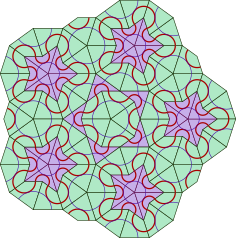
With smaller images, we may want to save space or place them closer to the describing text, as demonstrated here — the image is placed on the page's side, and the text wraps it around.
Here's how this may be done:
{.floatRight}
The wrapping paragraph test.
<p style="clear: both;"></p>To stop text wrapping, the <p style="clear: both;"></p> HTML element can be used. The following
text will continue below the image.
This example also uses path substitution <!--path pict--> that is implemented by the
"relative-paths" plugin.
Note
The above example uses attribute lists. There's a less elegant but workable alternative using direct HTML inclusion:
<p><img src="<!--path pict-->target.png" class="floatRight" /></p>

The wrapping paragraph test.

<p style="clear: both;"></p>
The <img> tag is enclosed into a paragraph <p> that is required for the currently used
styles. The Python version does this enclosing itself, but the Java version does not.
Though the Python version does not do extra enclosing if it already exists. So it's better
to always add the paragraph.
When an image is too wide, we may want to fit it into the page width. Attribute lists may be used for this with the following classes defined in the provided CSS:
{.w-fit .img-frame}The result is:
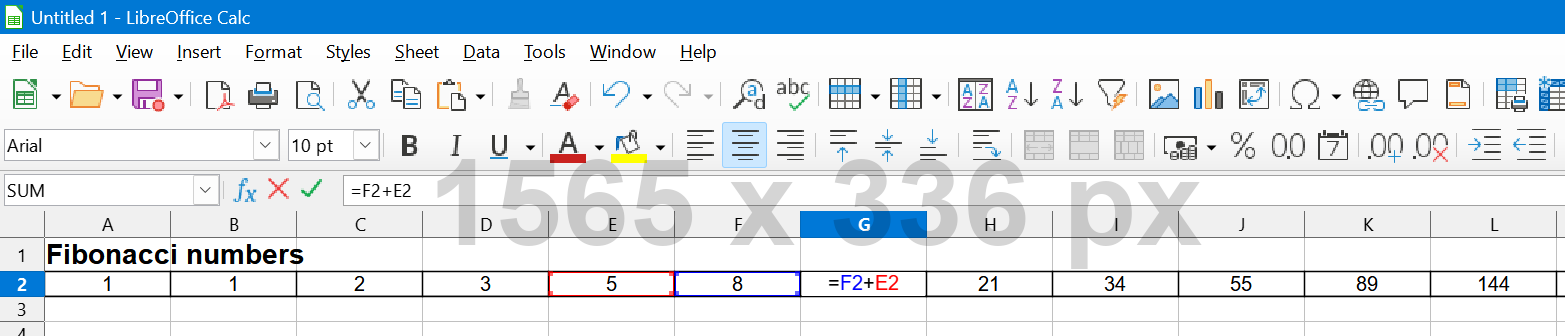
The img-frame class is optional. An image may have the same background as the page and because
of its content its borders may be unclear. In such cases a frame may show it explicitly. Here are
the other examples:
 — for the light scheme.
 — for the dark scheme.
And here how it's done:
{.img-frame width=285px}If an image is large enough but not expected to be observed often, it may be good to place an icon on the page and make it expandable on click. A relatively complex JavaScript solution may be implemented, but it's not yet done here. Anyway there's a simpler alternative that may be sufficient in some cases:
Clicking the icon opens the image in a separate tab. Here's how this can be done:
[{width=160px}](<!--path pict-->wide_image.png
"Click to expand"){target=_blank}One point should be taken into account when working with images. Often images are intended to be shown on a light background. If a dark theme is used, some images may not look well in the dark. Such images may be marked the following way:
<div class="light_only"></div>
Alternatively the class light_only may be added to the <img> HTML tag. In dark themes these
images may be put on a white background (particularly, this is defined in the dark
theme).
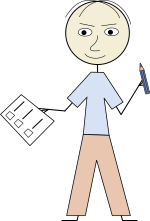
The first picture has thin black elements (arms, hands, feet and hair) that don't look well on the dark background. The second picture has a local white underlying plate and probably looks better.
The following markup:
1. This is a __first-level__ _ordered_ list item.

    Another paragraph may be added by adding one empty line above and indenting by 4 spaces.

    > Other elements, like `<blockquote>`, may be included into a list item.

    - This is a __second-level__ _unordered_ list sub-item. The long lines may be wrapped
        with extra 4 space indent without an empty line above.
        3. This is a __third-level__ _ordered_ list sub-item. Any numbers may be used as
            _ordered_ list item markers.
        3. This is another __third-level__ _ordered_ list sub-item.
    - This is another __second-level__ _unordered_ list sub-item.

1. This is another __first-level__ _unordered_ list item. Though `1.` is used as the
    item number this item marker will be "2.".
gives the following output:
This is a first-level ordered list item.
Another paragraph may be added by adding one empty line above and indenting by 4 spaces.
Other elements, like
<blockquote>, may be included into a list item.
This is another first-level ordered list item. Though 1. is used as the
item number this item marker will be "2.".
Blockquotes are inserted by starting each line with >.
Links, images and some other Markdown elements may be used inside
blockquotes:
- Here's a link with a clickable image:
- Also a list inside this
blockquoteis used for demonstration.
Tables are added with the syntax like this:
Item No | Name  | Description   | Price
:------:|-------|---------------|------:
1 {.th} | Chair | Kitchen chair |  87.50
2 {.th} | Table | Kitchen table | 450.00
3 {.th} | Lamp  | Standard lamp | 120.75
Currently used styles define the following default table appearance:
| Item No | Name | Description | Price |
|---|---|---|---|
| 1 | Chair | Kitchen chair | 87.50 |
| 2 | Table | Kitchen table | 450.00 |
| 3 | Lamp | Standard lamp | 120.75 |
In this example, we use attribute lists to specify the class {.th} that
makes the table sidebar have the same format as the table header. The class .th is defined in
the provided CSS.
Markdown doesn't have syntax for different table styles, but a simple trick may be used to achieve
this. An invisible element (an empty <div> in this case) can be added right before the table,
and the appearance can then be defined with a small CSS magic. So the following invisible element
right before a table:
<div class="tableLight"></div>will give the following table style:
| Item No | Name | Description | Price |
|---|---|---|---|
| 1 | Chair | Kitchen chair | 87.50 |
| 2 | Table | Kitchen table | 450.00 |
| 3 | Lamp | Standard lamp | 120.75 |
If we want a table without a header, we can use:
<div class="tableHeaderless"></div>

| | | | |
|---:|---: |---: |---: |
| 10 | 20  | 30  | 40  |
| 50 | 60  | 70  | 80  |
| 90 | 100 | 110 | 120 |
This will give:
| 10 | 20 | 30 | 40 |
| 50 | 60 | 70 | 80 |
| 90 | 100 | 110 | 120 |
It is also possible to combine the CSS classes like this:
<div class="tableLight tableHeaderless"></div>| 10 | 20 | 30 | 40 |
| 50 | 60 | 70 | 80 |
| 90 | 100 | 110 | 120 |
Fenced code blocks may be set up by four-space indent, or by four backticks (````), i.e.
the following markup:
````
Example of
    preformatted
    text
````
will look like:
Example of
    preformatted
    text
This type of block visually correlates with inline code fragments.
Style may be specified the following way:
````text
This is a light code block example.
    It is also preformatted
    but has no background (and probably no border).
````
The result will be:
This is a light code block example.
    It is also preformatted
    but has no background (and probably no border).
There are also the following block types.
Shell code block (marked as shell):
>>> print("This may be any shell where Python IDLE works.")
This may be any shell where Python IDLE works.
Program language code block (marked as code):
System.out.println("This block demonstrates " +
    "a source code in SOME program language.");
The above are the basic code blocks styles defined by default. The other styles will be discussed later.
Note
Program language source code syntax highlighting is not implemented yet.
Fenced blocks may be inserted inside other blocks, like
blockquotes:$ echo Fenced blocks inside a blockquote Fenced blocks inside a blockquoteAlso, for instance, lists inside
blockquotes may contain fenced code blocks:
- Item 1:
Fenced block, line 1 Fenced block, line 2- Item 2
Sometimes it is required to have long lines inside code blocks wrapped, but the above code blocks
don't wrap the lines automatically. Of course, lines can be broken manually, but this may make the
content inconvenient for copy-pasting. To address these cases, additional markers
wrapped, wrapped-code and wrapped-shell were defined. Here's an example:
This is a long line that doesn't contain line breaks inside itself and that we want to be automatically wrapped so that the fenced code block is not scrolled.Just for comparison, a similar content will be scrolled in non-wrapped fenced blocks:
This is a long line that doesn't contain line breaks inside itself and that we want to be scrolled so that the fenced code block doesn't exceed the page width.Note
As of now, there is the "ignore" plugin that is easier to use, so the following method is expected to be needed less often.
The following code may be used in order to avoid plugin substitutions:
<div class="code"></div>The result will be like this:
Sometimes it's useful to specify the file or some other source of the code inside the fenced block. This may be done the following way:
<div class="blockSrc">Sample.java</div>

````code
...
System.out.println("This block demonstrates " +
    "a source code in a program language.");
...
````
The result will look like this:
...
System.out.println("This block demonstrates " +
    "a source code in a program language.");
...
Note
A link may be inserted inside the <div> but due to specific Markdown processing this link
may be defined only using pure HTML.
The following is the extended set of fenced block styles that are enabled by default but may
be disabled by setting the variable "add_more_prog_langs": false in the argument file.
If the writing work does not need these styles, disabling them may give slightly faster pages
rendering in the browser.
The corresponding markers are shown under the blocks.
def factorial(n):
    if n == 0:
        return 1
return factorial(n - 1) * nBiPredicate<String, String> bp1 = String::startsWith;
System.out.println(bp1.test("abcde", "abc")); // trueval bp1: BiPredicate<String, String> = BiPredicate { str, prefix -> str.startsWith(prefix) }
println(bp1.test("abcde", "abc")) // true#include <stdio.h>
int main(void) {
printf("hello, world\n");
}#include <iostream>
int main() {
std::cout << "Hello, world!\n";
}let testSuite = [
{label: "Summing zeros", body: () => {return sum(0, 0) == 0}},
{label: "Summing non-zeros", body: () => {return sum(1, 1) == 2}}
]create table employee (
dept_id int,
employee_id int primary key,
salary decimal
);DFS(s): // s is the starting node
mark s as explored
for each unexplored neighbor v of s:
DFS(v) <dependency>
<groupId>junit</groupId>
<artifactId>junit</artifactId>
<version>3.8.1</version>
<scope>test</scope>
</dependency><!DOCTYPE html>
<html lang="en">
<head>
<meta charset="utf-8">
<title>Hello world!</title>
</head>
<body>
<h1>Hello</h1>
<p>Hello world!</p>
</body>
</html>pre>code, div.code {
display: block;
white-space: pre;
padding: 10px;
overflow-x: auto;
}{
"name": "Kitchen chair",
"price": 87.5,
"available": true
}[owner]
name = John Doe
organization = Acme Widgets Inc.
[database]
; use IP address in case network name resolution is not working
server = 192.0.2.62
port = 143
file = "bom.dat"# A .properties file example
website=https://en.wikipedia.org/
language:English
# Keys with the same name will be overwritten by the key that is the furthest in a file
duplicateKey = first
duplicateKey = secondservices:
frontend:
image: example/webapp
networks:
- front-tier
- back-tierHere is a configuration of some other kind:
UAT_DB =
  (DESCRIPTION =
    (ADDRESS_LIST =
      (ADDRESS = (PROTOCOL = TCP)(HOST = UATSERVER)(PORT = 1521))
    )
    (CONNECT_DATA =
      (SERVICE_NAME = UAT_DB)
    )
)#!/bin/sh
if [ -z $1 ]; then
echo a{1,2,3}
else
echo b{5,6,7}
fi
# will output: "a{1,2,3}" or "b{5,6,7}"#!/bin/bash
if [ -z $1 ]; then
echo a{1,2,3}
else
echo b{5,6,7}
fi
# will output: "a1 a2 a3" or "b5 b6 b7"@echo off
set CANNOT_PROCEED=
call :check_file_or_dir doc_src
if [%CANNOT_PROCEED%]==[Y] (
echo Some problems found (see above^). Nothing has been done
exit /b
)
xcopy %MD2HTML_HOME%\bin\new_project\doc_src doc_src\ /e
exit /b
:check_file_or_dir
if exist %1 (
echo File or directory '%1' already exists
set CANNOT_PROCEED=Y
)
exit /b@echo off
echo BAT and CMD files are considered to be the same.$ for i in {1..6..2}; do echo "Welcome person #$i!"; done
Welcome person #1!
Welcome person #3!
Welcome person #5!>cd %TEMP%
>echo I write a file > temp_file.txt
>type temp_file.txt
I write a fileException in thread "main" java.lang.IllegalArgumentException: Cannot invoke beanutilsdemo.MyBean.setEnumValue on bean class 'class beanutilsdemo.MyBean' - argument type mismatch - had objects of type "java.lang.String" but expected signature "beanutilsdemo.MyEnum"Info
Admonitions are specially formatted blocks whose purpose is drawing attention to some pieces of information. To add such a block, the following syntax is used:
!!! qualifier "Optional title"
    block content
    with 4-space indent on each line
Note
The following qualifiers are defined:
note;tip, hint, important;danger, error;warning, attention, caution.Important
Other qualifiers may be used (like info qualifier above). CSS needs to be edited to
add special formatting for these admonitions, otherwise the default formatting is used.
Don't overuse!
This highlighting method should not be overused. If there are many such blocks, then important information may be easily missed by the reader.
In this block, a custom title is used.
To place an admonition without a header, empty quotes may be used as the title:
!!! hint ""
    This admonition will not have a title.
Danger
Admonitions are not supported in GitHub and StackOverflow.
Note
When a default title is used, its first character is capitalized.
Attribute lists allow adding attributes to HTML tags. More details may be found at:
The above libraries have some differences in their interpretation, so Python and Java versions may work differently. The examples below are expected to work the same way.
The following header:
# Header title {#custom_id}will be converted into something like:
<h1 id="custom_id">Header title</h1>Important
Note the space between the header title and the opening curly brace { — it's mandatory.
Alternatively an ID may be assigned by expression {id=custom_id} or {id='custom_id'} or
{id="custom_id"}.
This id will also be set in the corresponding table of contents item.
A paragraph and a list item may be styled by assigning CSS classes like this:
Paragraph content.
{ .blue .underlined }

- List item 1
    { class=blue }
- List item 2
    { class='green' }
The generated HTML will be like:
<p class="blue underlined">Paragraph content.</p>
<ul>
<li class="blue">List item 1</li>
<li class="green">List item 2</li>
</ul>
As shown above, a dot . may be replaced by class= with optional single or double quotes.
Also note that attributes must be specified on a separate line at the end of the element.
Note
To make the document be rendered similarly in the Python and the Java versions, it's better to follow the examples above. See the above links at the extensions (libraries) descriptions.
A table cell can be formatted as follows:
Header 1 | Header 2
---------|--------
Cell 1 {style="background-color: cadetblue;"} | Cell 2 {name=cell2}
Important
Note the space between the cell content and the opening curly brace { — it's mandatory.
The generated HTML code will be like this:
<table>
<thead>
<tr><th>Header 1</th><th>Header 2</th></tr>
</thead>
<tbody>
<tr>
<td style="background-color: cadetblue;">Cell 1</td>
<td name="cell2">Cell 2</td>
</tr>
</tbody>
</table>
In this example an arbitrary attribute name=cell2 is added. This may be done for other elements
as well. Single or double quotes may be used, and either of them must be used if the attribute
value contains spaces. Of course, alternatively a class might be assigned instead of the direct
CSS parameters.
The table will look like this:
| Header 1 | Header 2 |
|---|---|
| Cell 1 | Cell 2 |
Attribute lists may be used with images:
{.light_only style="border: solid orange 5px; padding: 5px;"}The generated HTML code will be like this:
<img alt="" class="light_only" src="../../pict/light_only.png" style="border: solid orange 5px; padding: 5px;">And it will look like this:
Important
The opening curly brace must follow right after the closing round brace, otherwise the attributes will be assigned to the enclosing paragraph.
If the fool would persist in his folly, he would become wise.
— William Blake, "Proverbs of Hell"
The source of the above quote is aligned to the right. Here's how it is done:
> If the fool would persist in his folly, he would become wise.
>
> --- *William Blake, "Proverbs of Hell"*
> {.right}
In some cases an element must be hidden. For example:
Do you see a gopher? But it still exists!
Here's what actually was written:
_Do you see a **gopher**{.hide}? But it still exists!_


